
To be honest the jump to Revit 2026 felt a bit sluggish for a lot of us. We’ve been asking for a faster engine and smarter tools that don’t require ten workarounds for a single wall detail.
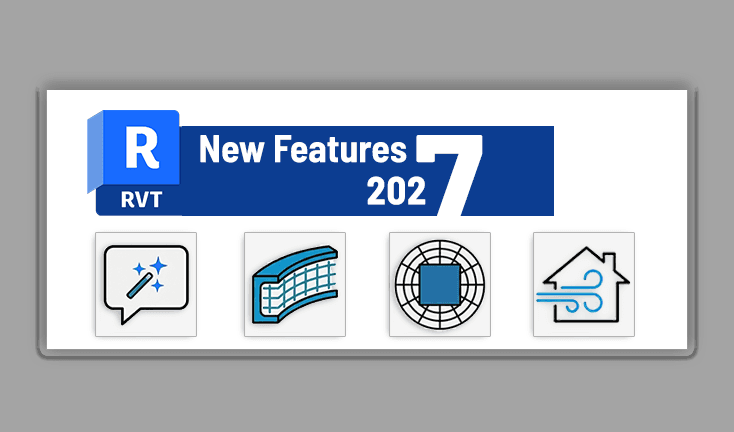
With the release of Revit 2027, Autodesk has published the full documentation and seems to have spent less time on flashy “new” buttons and more time under the hood. It’s a release focused on data integrity, speed, and, for better or worse, the first real steps into AI integration.
Here is the breakdown of what actually matters in this version.
1- The Engine Swap: DOT NET 10
The headline news isn’t a tool; it’s the framework. Revit has officially migrated to dot NET 10.
Why should you care? If you’ve struggled with “Not Responding” screens while syncing massive cloud models or running complex background calculations, this is for you. This update optimizes how Revit handles memory and multi-threading. Early tests suggest a noticeable snappiness that was missing in 2026. If you’re managing large-scale projects, this performance boost alone makes the upgrade worth considering.
2- Walls Finally Get “Side-Hosted” Flexibility
Architects have been hacking workarounds for hosted walls for a decade. Revit 2027 finally allows you to host an architectural wall on the side face of another wall.
- The Win: It supports offsets for air gaps and allows hosted walls to move and rotate with their host.
- The Workflow: The “Place by Room” and “Place by Segment” commands have been refined, meaning you can toggle room-bounding settings before you place the wall. It’s a small change that saves a massive amount of repetitive clicking.
3- The “Assistant” Moves In (AI Integration)
AI is no longer a buzzword in the AEC world; it’s an integrated tool. The Autodesk Assistant is now live within the Revit interface.
Think of it as a specialized help desk that lives in your sidebar. It’s designed to help you troubleshoot technical errors and navigate documentation without Alt-Tabbing to a browser. While it’s definitely a “Version 1.0” feature, meaning expect some growing pains, it signals the direction Autodesk is taking to reduce downtime for designers.
4- Site Design and The Forma Marketplace
Site context used to mean hunting for low-res topo data or buying expensive third-party plugins. Now, Revit is leaning hard into Autodesk Forma.
You can now access the Forma Data Marketplace to pull in surrounding building data and convert it directly into native Revit elements. Plus, there’s an AI-powered wind estimate tool and carbon insights that let you run “what-if” scenarios on your site before you even finish the schematic design.
5- Structural Detail in Rebar and Fabrication
For the structural side, the focus is on “Design-to-Fabrication”.
Which means:
- Morphed Rebar: Reinforcement can now follow complex, double-curved concrete geometries much more naturally.
- Steel Integrity: When you convert structural steel into fabrication beams, Revit now preserves your copes, contour cuts, and void cuts. In previous versions, these often “broke” during the transition. Now, the data stays intact.
6- The UI Cleanup
Autodesk is continuing its mission to end the Options Bar. More tools have migrated to the Ribbon and the Properties Palette.
- Contextual Ribbons: Tools like Measure, Offset, and Stair options have moved up to the Ribbon to give you more vertical screen real estate.
- Dark Theme: It’s more consistent now, respecting halftone overrides and sketch modes better than the previous iteration.
My Takeaway
Revit 2027 feels like a “Correction Year”. It addresses the performance lag of 2026 and fixes some long-standing annoyances with wall hosting and IFC data standards (fully supporting IFC 4.3 now).
The Catch?
While we’re getting AI assistants and dot NET 10 engines, the Project Browser still feels like a relic from 2011, for example. We are still waiting for a total overhaul of how we organize our views and sheets.
Should you upgrade?
Yes. Especially if your firm deals with heavy models or complex site data. The speed and the Forma integration are significant upgrades. If you’re waiting for a brand-new interface… you might be waiting another decade.
What do you think?

Mohamed Fakhry has helped thousands of architects and designers find their next project with step-by-step guidance on his blog, mashyo.com. About Mohamed
His journey began during his university years when he recognized the need for information-rich 3D models to accelerate learning and improve production processes. Now, Mohamed shares his expertise through Revit tutorials that are accessible to all.
